Maximum Orchestra

The app that builds regularity
into your music practice.

Learning an instrument takes discipline, not good intentions. Maximum Orchestra holds that frame for you: a programme of exercises that adapts to your progress and moves at the pace you actually play. Piano, guitar, drums, voice, winds — use it on your own if you learn on your own, and if you have a teacher, they can connect to it and follow your practice between lessons.

14-day full trial · No card required · Then from €3 / month

Real progress on your instrument, on your own or with your teacher.

The app stands on its own: if you practise without a teacher, you already have everything you need. And if you have one, they can plug into it to extend what you do in lessons. Technique, rhythm, endurance, repertoire: you choose what you work on, at what pace, and who follows you.

It all starts with a training programme

One from the library

Programmes written by teachers, sorted by instrument and by level — beginner, intermediate, advanced. You add it to your own and use it as it is.

Your teacher's

They send it from their account, with their exercises, their goals and their recordings.

Your own

Your categories, your modules, your exercises, your durations. You build exactly what you want to work on.

Everything else follows from it: the day's sessions, the engine that brings back what gives you trouble, the tracking. And you switch programme whenever you like.

How it works, between the lesson and home

  1. 1

    At the lesson

    The teacher prepares their student's programme — and drops in their own recordings: the lesson they filmed, the exercise they played.

  2. 2

    At home

    The student works through that programme — and can watch their teacher's video or replay the audio right at the exercise it belongs to.

  3. 3

    The app keeps track

    Days played, real playing time, exercises repeated or skipped.

  4. 4

    At the next lesson

    The teacher arrives already knowing what got stuck and what came off.


Playing regularly, even without a teacher

Nobody gets better through bursts of enthusiasm. The app holds the line for you: every time you play, you know what to work on and why.

  • A library of programmes already written by real teachers, broken down into modules and exercises — you pick the one that fits you and you start
  • Or your own: you build your own programme — your modules, your exercises, your progression
  • An adaptive engine: what you have mastered comes back less often, what gives you trouble comes back sooner
  • Sessions ready to play — you open the app, you play, you have nothing to decide
  • Reminders before your sessions if you want them — at the time you choose, never imposed
  • Your progress in figures, your day streaks, the minutes you have really played
Carrying the lesson between sessions

This part only switches on when a teacher and a student connect. It does not replace the lesson: it extends it, through the days when you are not together.

If you are a teacher

  • You see what your students are working on when you are not there: days played, time spent, exercises picked up or left aside
  • You build your own programme, cut to fit each student, with your exercises and your own progression
  • You drop your sheet music in as a PDF on a module: your student has it in front of them, page by page, while they play
  • You add external links — and above all your own playing: the lesson you filmed or recorded, hosted wherever you like (YouTube, a cloud drive, your website)
  • You arrive at the next lesson already knowing what went wrong

If you are a student

  • You receive your teacher's programme and know exactly what to work on before next time
  • You watch their video or listen to their audio at the exact moment you practise the exercise it belongs to
  • Your teacher only sees what concerns them: what you did with their programme and how regularly you play — never the rest of your practice
  • Connected to a subscribed teacher, you get the complete app without paying anything
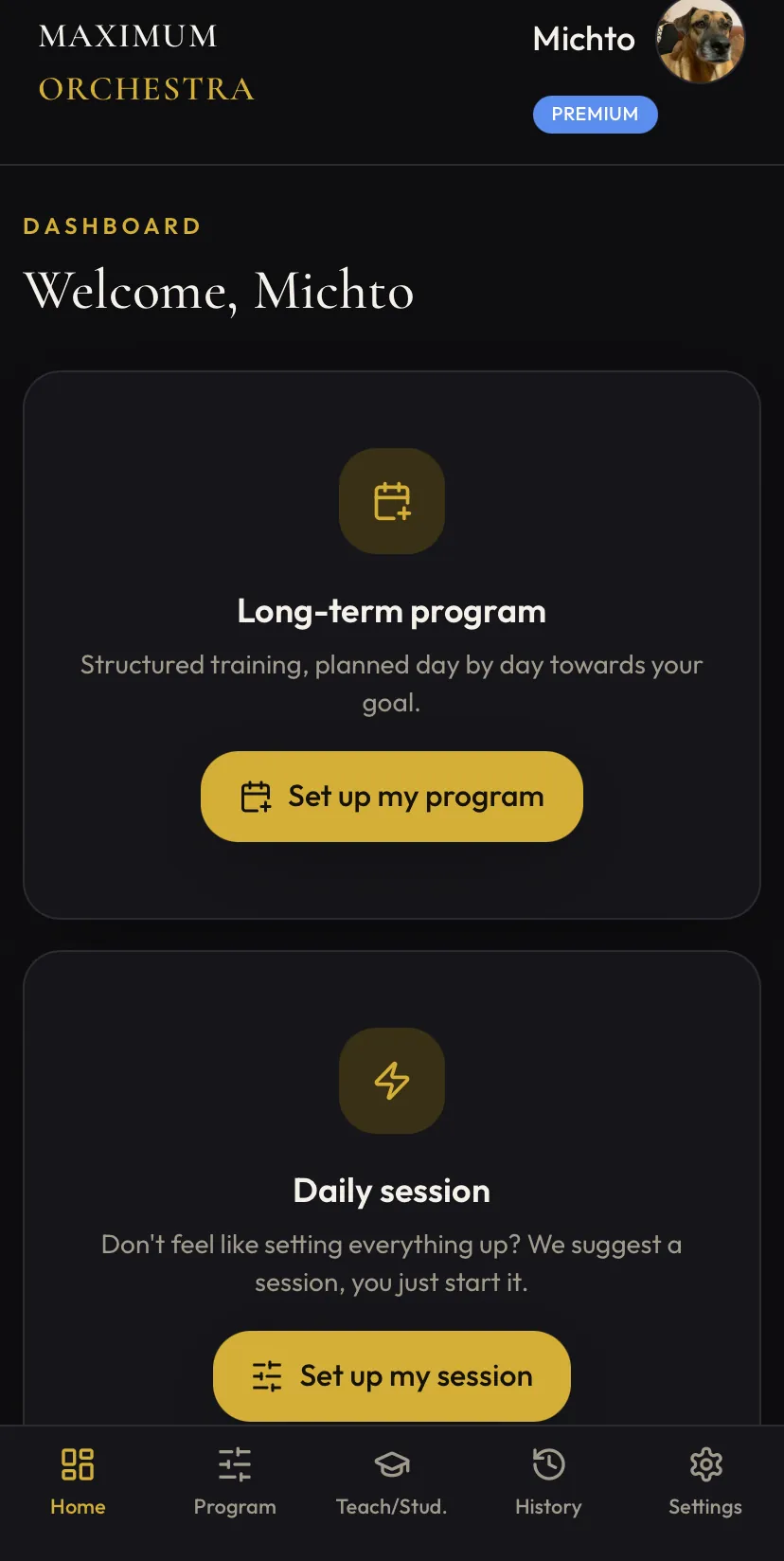
Maximum Orchestra home screen: background programme and daily programme
Your dashboard: background programme or session of the day.
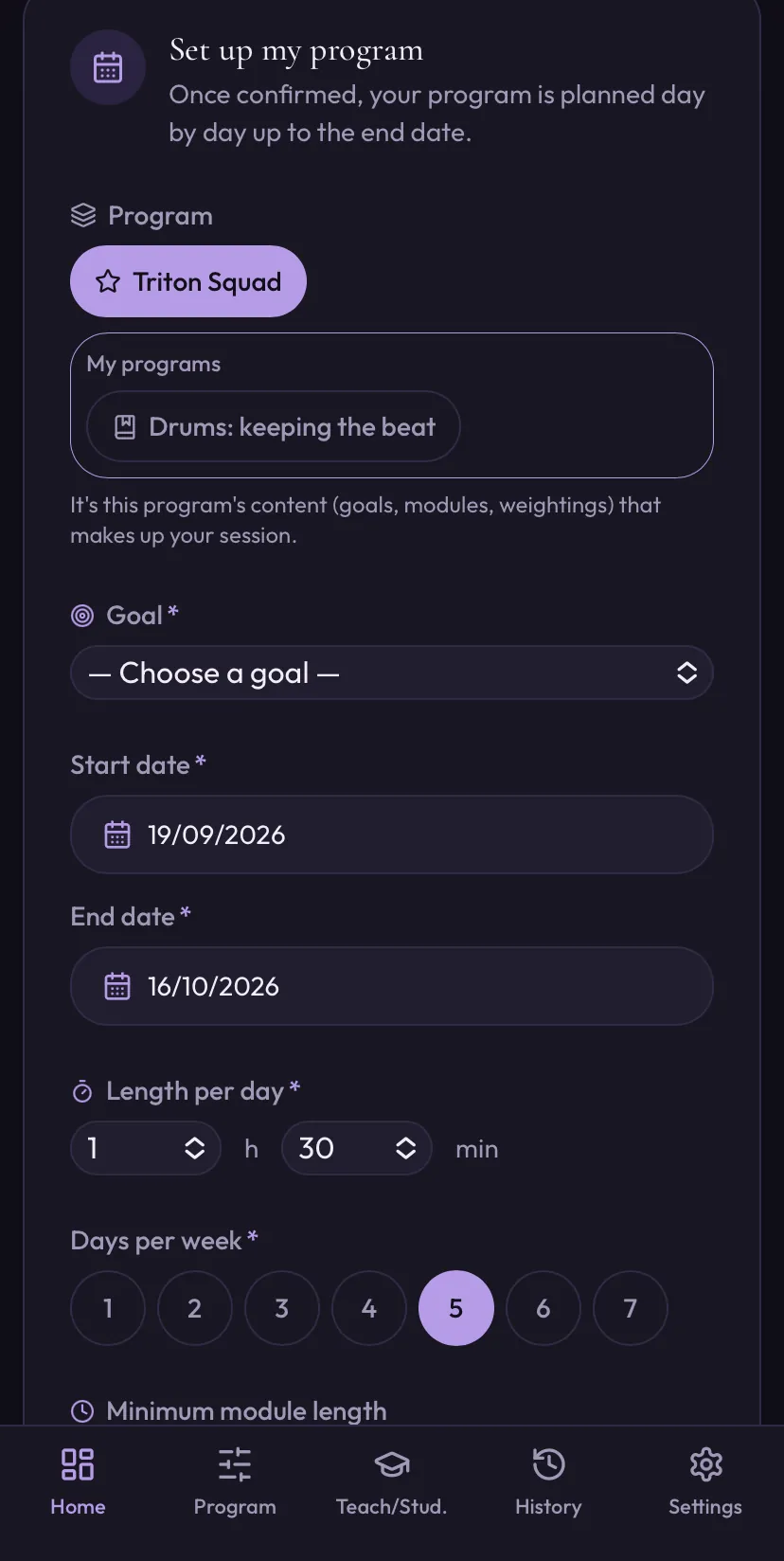
Preparation screen for a practice programme
You set everything: goal, duration, days per week, what each session contains.
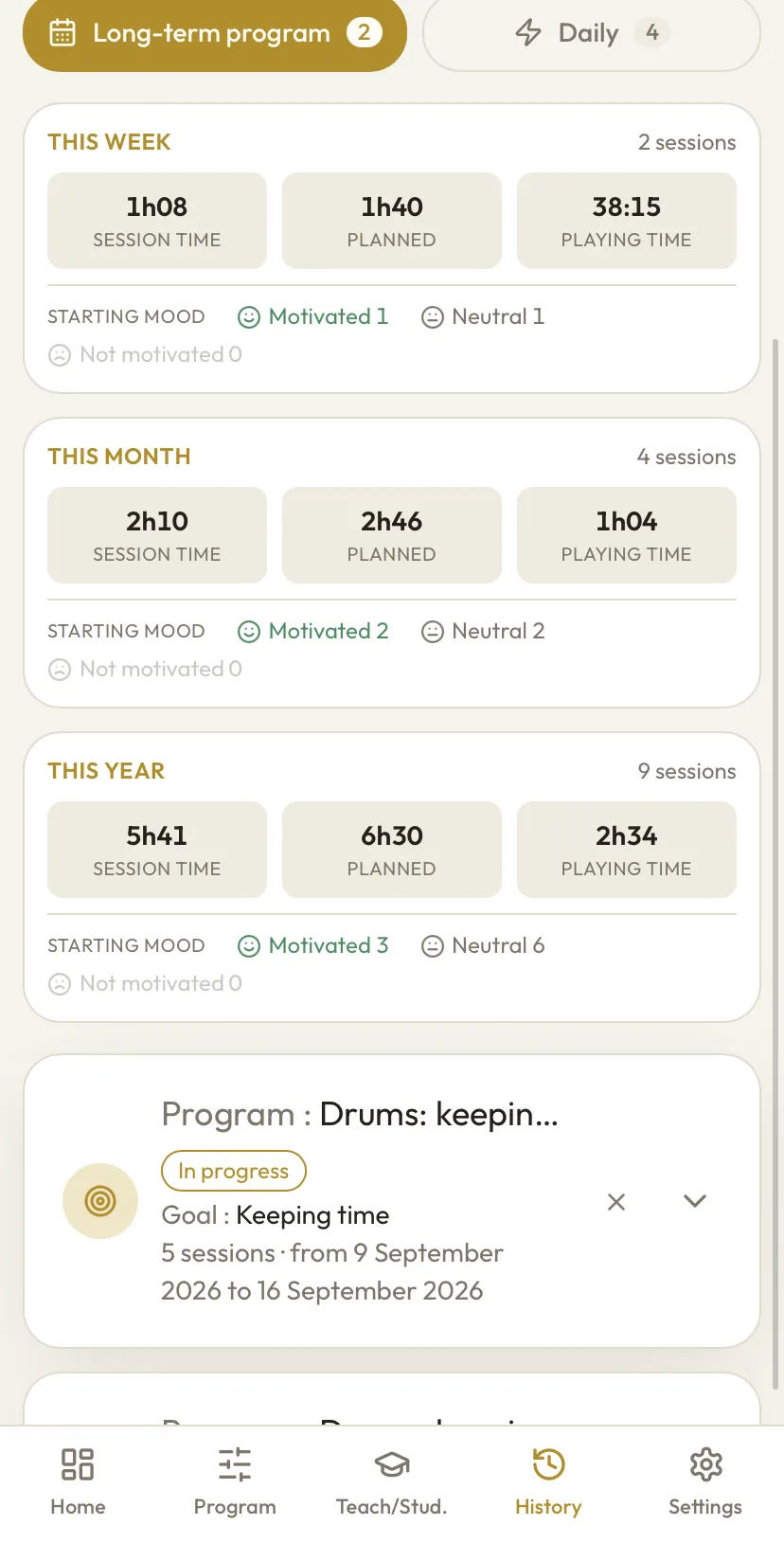
Session history with playing time per week, month and year
Your history, down to the figure — and five colour themes to choose from.

A light app, nothing to download

Nothing to download, nothing cluttering your phone. You open it, it is ready.

On phone, tablet and computer

Phone, tablet, computer: on a large screen the layout opens up. Same account, same progress, everywhere.

A reminder before every session

A reminder before your session, at the time you chose. Nothing else.

No ads, no data resold

No advertising, no data sold. You pay for the app, the app serves you. That is all.

Installed in 30 seconds, without going through a store.

Maximum Orchestra is a PWA: a web app that installs straight from your browser. It puts its icon on your home screen and opens full screen — exactly like a regular app, without going through a store.

Which device do you want to install the app on?

Install on Android

  1. Open app.maximumorchestra.eu in Chrome.
  2. An “Install app” banner appears at the bottom — tap it.
  3. If it does not appear: menu ⋮ at the top right → Install app (or Add to Home screen).
  4. Confirm. The icon lands on your home screen.

Compatible: Android 8 and above, with Chrome 90 or newer (Edge, Brave, Samsung Internet and Opera work too). Firefox for Android can add a shortcut but handles notifications poorly: use Chrome instead.

Install on iPhone and iPad

  1. Open app.maximumorchestra.eu in Safari — it has to be Safari.
  2. Tap the Share button (the square with the arrow pointing up).
  3. Scroll down, then choose Add to Home Screen.
  4. Tap Add. From then on, launch the app from its icon, not from Safari.

Compatible: iOS 14 and above to install. To receive notifications you need iOS 16.4 or newer — and the app must have been added to the home screen. Chrome and Firefox on iPhone cannot install a PWA: use Safari.

Install on a computer

  1. Open the site in Chrome or Edge.
  2. Click the install icon at the right of the address bar.
  3. Or: menu ⋮ → Install Maximum Orchestra.
  4. The app opens in its own window, with no browser bar.

Compatible: Windows, macOS and Linux with Chrome, Edge, Brave or Opera. Safari on Mac offers “Add to Dock” from macOS 14 (Sonoma) onwards.

The install isn't working?

Nine times out of ten it is the browser. On iPhone it has to be Safari, on Android it has to be Chrome, and private browsing blocks installation. Watch the install video for your phone, just above — or write to us, we answer.

A question that keeps coming up

Why isn't Maximum Orchestra on the App Store or Google Play?

Because the stores are expensive, and you would be the one paying for it.

Publishing an app on the stores is not free: you pay a developer subscription every year to Apple and to Google, you maintain two separate native apps on top of the website, and above all you hand each platform 15 to 30% of every subscription. On a €3 subscription, that commission swallows a huge share of what should be keeping the app alive.

Maximum Orchestra is built for everyone: a carefully made app at a price any musician can afford. Those two demands only hold together if you remove the middlemen. So we removed them.

You lose nothing along the way. The PWA installs in thirty seconds, sits on your home screen with its own icon, opens full screen and sends notifications. The only moment you notice the difference is when you install it.

  • You pay less. No commission taken along the way.
  • Fixes arrive immediately. No review to wait days for.
  • No account forced on you. No Apple, no Google, no card saved with a giant.
  • Nothing to update. The app keeps itself up to date.

Pricing: three amounts to choose from, and free for students linked to their teacher.

You set the price. Three amounts, exactly the same app in all three cases: nothing is limited, nothing is reserved for those who pay more. You simply choose what you can put in.

Who pays what?
You are…You pay
A student linked to a subscribed teacher Nothing. The complete app, free of charge, for as long as the link lasts.
Playing on your own The subscription: €3, €7 or €12 a month, your choice.
A teacher The subscription, plus €3 a month for each student you link.
Trial

14 days, everything open, no card required. One student included, so teachers can try the follow-up.

Start the 14 days

Are you a music teacher?

€3 per student per month. You buy seats when you need them and remove them when a student stops — no commitment, no waiting for the end of the month. Your student pays nothing: connected to a subscribed teacher, they get the complete app for free.

Monthly subscription only. You subscribe to the app first: that day becomes your billing date. And if you are a teacher, you add student seats whenever you like.

No pro rata: a seat opened on 20 April costs €3, then everything is billed together on your date, on 1 May.

Cancel in one click. Secure payment by Stripe — we never see your card number.

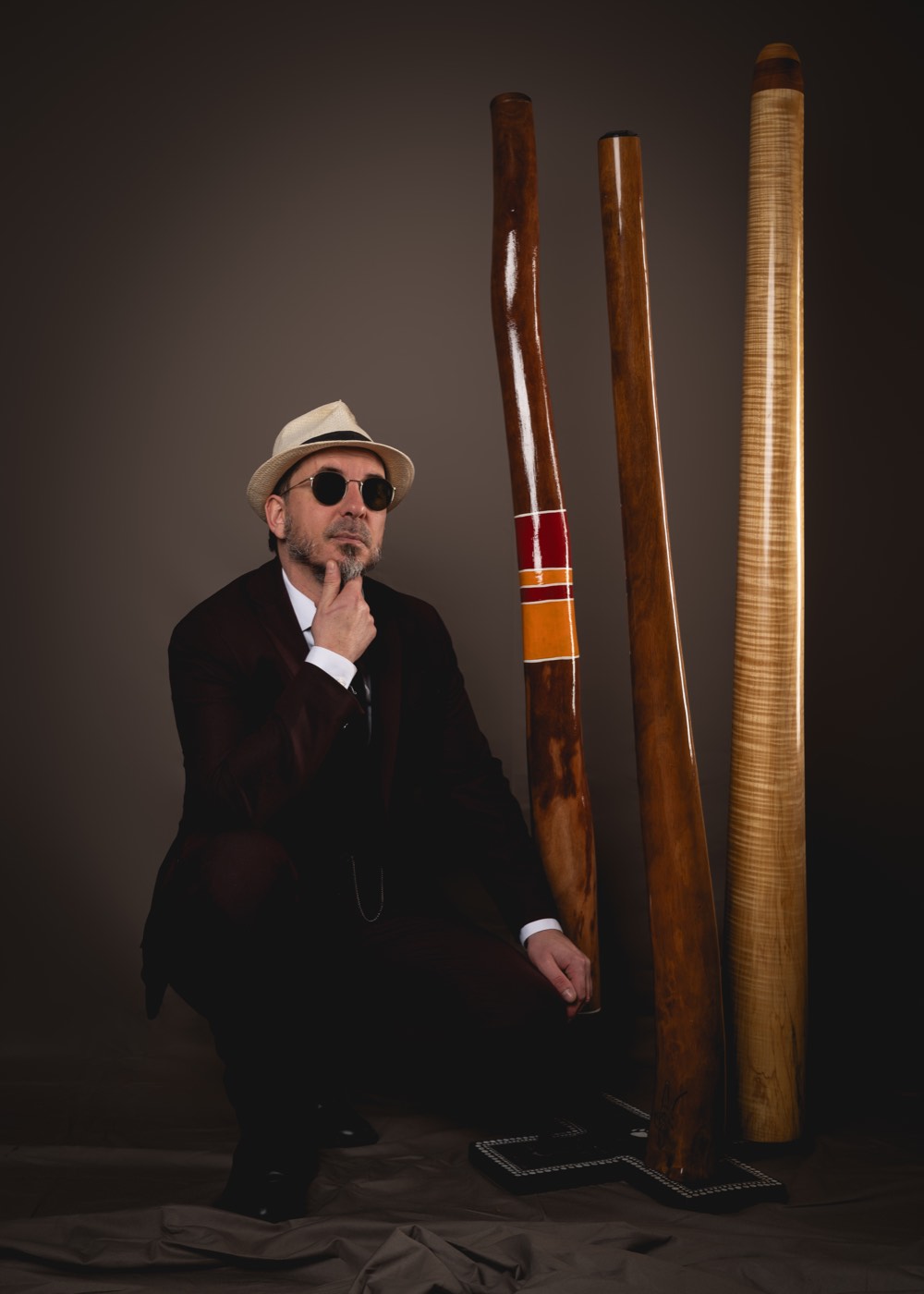
Triton Squad, founder of Maximum Orchestra, crouching in front of three didgeridoos

Triton Squad, the musician behind Maximum Orchestra

A player for twenty-five years and a professional for thirteen, he teaches the didgeridoo and spends most of his time working out how to make a practice fit inside a life.

He owns a Korn Bass, that evolution of the didgeridoo, and worked on the Didjophone project, a keyed didgeridoo of which only one exists in France — in Alsace.

Maximum Orchestra came out of that. First for himself: to stop opening the case without knowing what to work on, to set real goals, and finally to measure — how long played this month, which exercises actually picked up again. He uses it every day, for his own discipline as much as to follow his students between lessons.

The rest of the app follows from that same demand: tools that hold up, adjustable down to the detail, at a price anyone can afford.

Maximum Orchestra is that same tool opened up to every instrument: what works for him works for a pianist, a guitarist, a drummer or a singer. He wanted to take it out of the didgeridoo circle and put it into as many hands as possible.

25 years
of practice
13 years
on stage and teaching
2 h 02 min 22 s
of circular breathing without a break

Two hours, two minutes and twenty-two seconds of continuous sound, without a single break: the world record for the longest circular breathing. Guinness refused to ratify it, judging the attempt too dangerous for whoever takes it on. He was also a semi-finalist at Didg to Didg 2019.

Get the app

14-day trial · No card required